
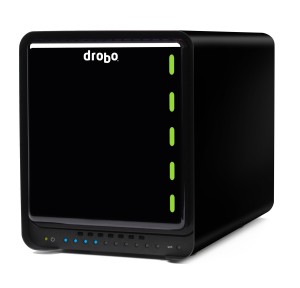
Drobo 5N
All prosumer Drobos now include an Accelerator Bay on the underside of the unit. This feature allows for the use of an SSD to accelerate access to the most frequently accessed data, while still offering the expansive storage capacity of the traditional hard disks. By combining disk technologies, the Drobo provides transactional performance for workspace storage that wouldn’t be possible in an all-HDD configuration. The addition of an mSATA SSD increases the IOPS performance of the unit by three times, and significantly reduces access times when working from a network share with a very large number of files or directories on the Drobo 5N.
When shopping for an mSATA card for your Drobo, the first step is consulting the SSD drive support page on the Drobo website. This page includes an up-to-date list of supported and known unsupported drives. As SSD technology continues to evolve, drives do not universally handle low-level disk operations in the same manner. That said, the mSATA disks included on the drive compatibility page on the Drobo site have been tested by Drobo engineers to ensure they support all features required by the storage system.
Drobo customers demand expansive storage from their units and may be tempted to “go big” on the mSATA card. While the Drobo currently supports up to a 640GB mSATA SSD, the recommended capacity is 64GB to 128GB. This may seem small when compared with the HDDs in the unit, but it represents an expansive amount of cache storage. As the Drobo works at the block level, only transactional portions of data are cached on the mSATA. A 64GB mSATA card provides more than sufficient space for even the most demanding workloads.
If you’re considering adding an mSATA card to your all-SSD Drobo, there’s no need. Your Drobo is already configured for maximum performance.
If you would you like to learn more about the experience of a Drobo, request a Drobo for business live demo here or find us on Facebook, Twitter, YouTube, LinkedIn, and Google+.
